The manual · 1 of 14
How it works
Folders, keys and devices that sync with each other: how LicketySync works with no account and no server you didn’t turn on.
On this page
LicketySync keeps a folder the same on every device that holds one of its keys. The devices talk to each other directly, so there’s no account to make, no copy in somebody’s cloud and no server you didn’t turn on.
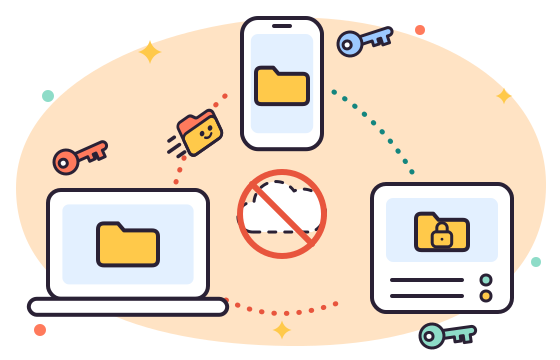
A folder, its keys and your devices
A folder is what you share. Each one has three keys of its own, made fresh with the folder: a write key, a read key and a sealed key. Every device that holds one of them has the folder, with that key’s kind of access. If it holds a key, it’s in.
So there’s nothing to sign up for. The key is the access: there’s no account, no list of members and nobody in charge of one. Sharing explains the keys.
Device to device
Devices that hold a folder find each other and connect directly. A change goes from the device where you made it to the others, and any device that has it can pass it along. Changes wait until two devices are on and can reach each other, so a device that’s always on, such as a home server, helps carry them. When two devices meet again, even after months apart, they swap only what has changed. Lickety-split.
Some connections need a helper: a hole-punch coordinator, a computer that introduces two devices so they can connect directly, or, if relays are on, a relay, which passes their encrypted traffic along. A helper is always a computer whose person chose to help, and it can’t read your files. Nothing like this is on until you answer setup, which will suggest using both (Setting up has the list).
Locked, sealed and signed
- Every connection is encrypted, on your home network as much as over the internet. The network in between can still see which addresses talk, when and how much.
- Your files are encrypted with the folder’s own keys before they leave your device, names and all. So a storage device, one that holds only the sealed key, can keep a full copy without being able to open it.
- Every change is signed with the write key, and devices accept no other. A device with the read key, a storage device or anyone in between can’t slip in a change of its own.
A storage device still sees the folder’s shape, such as how many files there are and roughly how big. It can also hold changes back, or offer old versions again, which can bring back a deleted file once devices forget the deletion, a year or more after it. Risks has the rest.
When two changes collide
Edit a file on your laptop while someone edits it on their computer, before the two have synced, and LicketySync keeps both: one stays as the file, and the other appears beside it as a conflict copy. Nothing is merged, and nothing is thrown away.

When a change from another device replaces or deletes a file on yours, the old version goes to the folder’s archive on your device, 30 days unless you change that. And if a lot of files vanish from your own disk at once, say a drive comes unplugged, a deletion brake pauses the folder until you say you meant it. Conflicts and the archive has the whole story. For each file, a device keeps only its latest version, as one small signed entry in the folder’s list of files, and for each deleted file a small entry for a year or more (Risks has the detail). Older versions live in the archives, not in the list, so the list grows with the number of files, not with how often they change.What each device keeps
Where it stands
None of this ships yet: today LicketySync is a written design, a simulator that tests it on many simulated devices and the first building blocks, and syncing between computers on one network is being built. What’s ready and what’s next has the order things come in.
For the curious. The protocol’s “The index in plain words” covers versions, conflicts and deletions, and the threat model’s “What stays visible” what each party can see.