The manual · 12 of 14
For IT and privacy reviewers
What LicketySync contacts, what it stores and where, its cryptography in brief and its licences: the details a review needs.
On this page
This page is for people checking LicketySync against a policy: IT teams, compliance and privacy reviewers. It’s more precise than the rest of the manual, holds the numbers and mechanisms the other pages leave out, and cites the threat model’s numbered requirements (TM-1 to TM-43) so you can look each one up. Nothing ships yet: this describes the design in the specifications on the core repository’s main branch, and says where today’s code still differs.
In brief
- No account, no telemetry (reports about how it’s used) and no server you didn’t turn on; nothing is on before the person answers setup. The programs contact no fixed host that
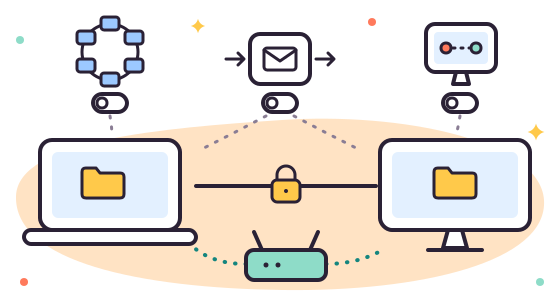
spec/allowed-hosts.txtdoesn’t list, and the list is empty today (TM-31). They check for no updates (TM-29). - Devices connect to each other directly. Every connection is encrypted and authenticated; there is no plaintext mode (TM-1).
- Each folder has three shared keys, and holding one is the access. There is no owner key, no per-person key and no revocation; leaving someone behind means moving to a new folder (TM-42).
- Contents, names and structure are encrypted under the folder’s keys before they leave a device (TM-33).
- Open source, under the Mozilla Public License 2.0.
What it contacts
Fixed hosts. spec/allowed-hosts.txt lists every fixed hostname and address built into the programs, and it is empty today, because the code contacts nothing. A host is added only in the change that adds the feature which contacts it, and only for a feature that is off until the person turns it on. The list holds only addresses the code names: the multicast address 224.0.0.251 joins it with the mDNS carrier’s code, while broadcast addresses are worked out at run time and IPv6 ones (ff02::fb) are not checked, as TM-31 notes. A check in the build and in CI fails on any hostname in the code’s string literals that the list lacks. It catches accidents, not adversaries, and states its own limits; the reviewers of each change cover the rest (TM-31). Join links, which the programs read and write, begin with licketysync.app/join#; the programs never request that address.
Everything else is reached at addresses learned while running, and only through features that are on: other devices that hold a folder’s key (found on the local network, through peers, in an invite or from an address the person types), the nodes of the public trackers (the DHT, the Mainline DHT that BitTorrent also uses), relays and hole-punch coordinators (devices that pass the first messages between two devices so they can connect directly).
The home router’s port-mapping service (Universal Plug and Play, NAT-PMP or PCP), when the person takes the recommended settings or turns it on. The device maps only its one listening port, for a bounded lease, and removes the mapping at exit (TM-26). While the port is open, anyone on the internet can reach it and learn that the device runs LicketySync, and what anyone who completes a connection learns (What each party sees).
What is on, before and after setup. Nothing, before the person answers setup. Setup asks once and suggests the recommended settings below; saying no opens the settings with each at its default, and nothing is on until the person confirms them. A later release that adds a setting, or changes a recommended default so that it allows more, leaves that setting off wherever it is at its default until the person answers; a change that allows less applies at once (TM-25).
| Setting | Before setup | The recommended settings |
|---|---|---|
| Finding devices on the local network | Off | On |
| Asking the home router to open a port | Off | On |
| Public trackers (the DHT) | Off | On, in client mode |
| Direct connections, with hole punching | Off | On |
| Using public relays | Off | On |
| Who may help with a hole punch? | Nobody | The fourth level: also any device yours knows of, and any public relay you’ve turned on |
| Acting as a hole-punch coordinator, for the devices of the person’s own shared folders (computers only) | Off | On |
| Acting as a hole-punch coordinator, for anyone (computers only) | Off | Never suggested |
| Acting as a relay for others (computers only) | Off | Never suggested |
| Helping run the public trackers (server mode) | Off | Never suggested |
| Tor (later) | Off | Not suggested |
The router’s port and the ways of helping others are set for the whole device. Every other setting is a device-wide default that each folder can override, and a connection serves a folder only as that folder’s settings allow (TM-25). Hole punching in detail says who coordinates, and what that shows.
Listening. A device listens for other devices on its network port. The service also takes commands from its own command line and web interface, on a socket or named pipe that only its user can open and on a localhost address that checks the Host and Origin headers and needs a token on every request (TM-21). Names and other text from other devices are only ever shown as text (TM-20).
On locked-down networks devices can fall back to WebSocket. A corporate proxy there sees the hostname dialled, timing and volume, and only encrypted frames, since the inner handshake runs inside the WebSocket (threat model §5).
What it stores, and where
On each device:
- The folder’s files, as ordinary files, on devices with the read or write key. Writes land in a temporary file beneath the folder, are checked against their signed record and are then renamed into place (TM-35). Every path goes through one resolver that never follows a symlink and stays on the folder’s own mount (TM-4).
- The folder’s hidden directory,
.licketysync/at its top, never synced: a marker, the folder ID (never a key), this device’s settings for the folder, the archive unless it is pointed elsewhere, and temporary downloads. On Linux and macOS only its user can open it. - The archive: files that changes from other devices replaced or deleted, kept 30 days unless that device’s person changes it (TM-35), up to a size cap. Copies archived because their versions became unreadable stay past that, even with the archive off, until a version the device reads covers them. Unlinking a folder keeps its files and its archive as ordinary files (
keys.md§7.3). - The index, in the app’s data directory, never inside the synced folder: an SQLite database of the latest versions of each file as signed records, typically under 1 KB per file and at most about 2.3 KB for a small file many devices wrote; deletion records, kept a year or more; and, for each device it synced with in the last 90 days, where it stopped, about 60 bytes each and at most 4 096 per folder (
protocol.md§9). Conflict copies are live files with records of their own, so they add up: four machines that append to one 10 MB log at the same moment every hour leave about 26 000 copies and about 300 MB of index a year, until someone deletes them. Every stored record is checked again each time its folder opens, so a store changed at rest can’t make a device apply a change the write key didn’t sign (TM-9). - Encrypted pieces of files (chunks) that the device holds and serves to other devices of the folder. A storage device, which holds only the sealed key, keeps the folder as these pieces and its records, and can open neither.
- The key store: the device’s seed and one key per folder, at that device’s level; nothing derived from them is stored. It is a file encrypted with XChaCha20-Poly1305 under a key held in the platform keystore (Keychain, Credential Manager, Secret Service, Android Keystore), or, where there is none, derived with Argon2id from a passphrase the person sets. A folder’s key is erased when the folder is unlinked (
keys.md§8.2).
Exact paths on disk are not fixed yet. Secrets are held in memory in types that are wiped when dropped, and never written to logs; logs leave out folder IDs and addresses by default (TM-6). Two exceptions are recorded in suites.md §4.1: beneath the network layer, the device’s libp2p identity key is held in types that are not wiped, and is copied into the TLS and QUIC configurations; and the optional WebTransport listener’s certificate key passes through types that are not wiped. Nothing anywhere records which person holds a key or made a change.
No telemetry
The programs send no telemetry, analytics, crash reports or update checks (TM-29, TM-31). The apps will get updates only through package managers and app stores, with their signatures checked before anything is unpacked, and never to a lower version. The browser version is the exception: it loads its code from licketysync.app at each visit (TM-28). Releases, when there are some, will be built in CI, signed and published with a software bill of materials and build provenance (TM-29).
The key model
- A folder is a random 32-byte write secret, from which everything else derives one way: the folder’s Ed25519 signing key, its data key and its ID. The read key carries the verification key and the data key; the sealed key carries the verification key and an access key derived from the data key. No lower key yields a higher one (
keys.md§1). - Any holder can give out its own key or a lower one, to anyone, any number of times. Keys never expire. Holders of one key look alike: nothing records who holds which key or who changed what.
- Every update is signed with the folder’s write key, and every device rejects one that isn’t, so read and sealed holders can’t change anything (TM-9).
- Each side of a connection proves it holds a key to a folder without sending it; knowing a folder’s ID isn’t enough to connect or to learn whether a device holds it (TM-32). It does let its holder confirm the folder on a local network and find, through public trackers, the addresses that announce it.
Key strings, device identifiers and leaving someone behind
- A key is written as text with a checksum, and the write key also as 24 words from the BIP39 list. A key carries no address unless the sender adds one, or, for invites to the browser version and one-time links for sending a file, always (TM-37); an invite with addresses also names the device’s hole-punch coordinators that share no folder with it (TM-25). In a link the key sits after the
#, which browsers don’t send to servers (TM-18). The app will show or export a key only on the person’s explicit action, and the write key only after the system’s own user check, or the key store’s passphrase where there is none (TM-39). - A device has three lasting identifiers, fixed for the life of its seed (
keys.md§8.1): its network ID (the libp2p peer ID, which the transport authenticates) and its device ID (the hash of its device key, which signs only the handshake’s device proof), both shown to whoever completes a connection; and, from the next phase, its DHT key, which signs only its address records in public trackers and is published in them, never shown at connection. The DHT node ID it persists and publishes there is stable too (TM-24). - Leaving someone behind, or a lost device, means the people who stay unlink the folder and share their copy again as a new folder with new keys, given to the others outside the app; nothing in the protocol supports it, and the person left behind keeps what they had (TM-42,
keys.md§7.4).
Cryptography in brief
Suite 1, from suites.md, is one fixed set for keys and records: its parts are never negotiated, and a folder’s suite is fixed by its keys (TM-30). The transport’s TLS 1.3 chooses its key-exchange group and cipher suite from the fixed lists the libp2p TLS stack offers, as TLS does.
| Role | Algorithm |
|---|---|
| Signatures | Ed25519 (RFC 8032), verified strictly |
| Data encryption | XChaCha20-Poly1305, 256-bit keys |
| Hashing and key derivation | BLAKE3: labelled hash, keyed hash and key derivation |
| Passphrases | Argon2id, 64 MiB, 3 passes, 4 lanes |
| Transport | TLS 1.3 over QUIC and TCP, preferring the hybrid post-quantum group X25519MLKEM768; Noise XX inside WebSocket, WebTransport and WebRTC |
Downgrades, nonces, padding and quantum computers
- Each transport offers exactly one security protocol, and the suite lists are bound into the handshake, so a downgrade within a transport fails (TM-1, TM-30). Blocking UDP and raw TCP can still force a device onto the WebSocket path, which is classical today.
- Chunk nonces are derived from the content, so that storage devices can check and de-duplicate what they hold; identical pieces therefore look identical (TM-12). Every other nonce is random.
- Chunks are padded with Padmé, at most 12 % and on average 3 % extra (TM-15), so each size shows only roughly. Padding doesn’t hide the number of pieces, the total volume or when changes happen. Nothing is compressed today; a release that turns on compression will state its length channel first.
- Cryptography comes only from the approved crates
suites.mdlists; the project writes none of its own beyond the two padding schemes (TM-5). - The 256-bit symmetric parts withstand a future quantum computer; Ed25519 doesn’t. Recorded traffic would give such a computer at most what a storage device sees, but it could let anyone with a folder’s verification key forge updates (TM-33).
What each party sees
The full list is threat model §5. In short:
- Write and read key holders: everything in the folder; for every version, the device ID its writer claims and when it was written, to the microsecond, offline edits included; every device’s ID, name and reported key; which files each device keeps, through chunk requests; and roughly when deletions were forgotten. They can test whether a guessed file is in the folder.
- Every device of a folder, whatever its key, and anyone who gets an invite with addresses: the device’s addresses, its network ID and the hole-punch coordinators it uses, through peer exchange (TM-25).
- A storage device: see What a storage device sees.
- The local network, once finding devices there is on: that a device runs LicketySync, its ports (the same default on every device, unless that one was taken) and its number of folders, only as a bucket of 4, 8, 16, 32 or 64. A beacon carries no minute (a listener tries the 11 minutes within 5 of its own) and a fresh salt, so for anyone who knows no folder ID in it the hashes link nothing; only the source address links one interface’s beacons. Someone who knows a folder ID can confirm the folder, see which address announces it and read the announcer’s clock to the minute. A device it has met can tell its beacons. Anyone can replay a captured beacon to listeners that missed the original, for up to 11 minutes, and learn from who dials back which devices dial, not which folder (
keys.md§2.2, TM-25). - Public trackers (the DHT), once on: which addresses announce a folder’s hash for the day. The hash changes daily and doesn’t give away the folder, but anyone who has had or seen a key can compute every day’s hash. And anyone, with no key, can follow one device across days and folders by its stable address, or by the stable identifiers it publishes with its announcements: the key that signs its address record and a persisted node ID (TM-24). The nodes a device asks see its address and the hashes it looks up.
- Anyone on the internet, while the router’s port is open: that the device runs LicketySync, by connecting to the port, and so what anyone who completes a connection learns (next).
- Anyone who completes a connection, with no key: the device’s address, network ID and device ID, the protocols and limits it offers, and, from how long a refused folder proof takes, roughly how many folders it holds; not which folders, and not its name, which goes only to a device that opens a folder with it. As the network layer is built today, a device dialling an address also shows its network ID to whoever answers there, before checking who answered; fixing that is part of the phase now under way (§3.1).
- A network observer: which addresses talk, when, for how long and how much, and the sizes of encrypted frames; not contents, names, keys, folder IDs or network IDs.
- A future quantum computer with recorded traffic: what a storage device sees, from WebSocket sessions and from circuits with a browser client at one end; nothing from QUIC or TCP between two native ends, which use the hybrid group.
What a storage device sees
A storage device holds the sealed key. It can’t read contents, names, the folder’s layout, dates or exact sizes, but it sees the shape of the folder and of its activity. Someone running a storage device who knows some of the folder’s files, or got files of their choosing into it, can in time test whether other files they have are in it. It can’t read contents, names, the folder’s layout, dates, exact sizes, modes, the device IDs or counters inside records, or which records are deletions, short of the cases below. It sees: Pieces are cut at places derived from the folder’s key, which stops a storage device cutting a file it already has and matching the piece sizes. But published attacks recover such keys from the piece sizes of files an attacker knows or chose, after which known files can be confirmed in that folder for as long as it exists (TM-14, The full list
keys.md §3.2). Which keyed chunker the phase now under way adopts is still being researched; today’s code cuts fixed-size pieces, whose sizes show only a file’s size.
Hole punching in detail
Hole punching arrives in the next phase, and relays later still. A coordinator carries only a punch’s set-up, never files, and only a device that shares a folder with yours, or proves a key to one, can punch through to it. From the next phase (TM-25): Relays, from the last phase before 1.0, are public only: any computer whose person turned relaying on, never a phone, treated as a stranger by every device. A relay is told no folder, never ends the end-to-end channel, and sees both devices’ addresses and network IDs, timing, volume and frame sizes. It enforces its person’s limits: a weekly rate schedule, a cap on open circuits with a queue, a minimum transfer rate, caps for each requester counted by network ID and by source address, a fair share between circuits, and caps on reservations (starting at 2 for each network ID, 8 for each source address and 256 in all). These numbers are starting values, fixed with the code.How it works, its numbers and its stated residuals
keys.md §6.3).
Forgetting deletions in detail
A deletion is forgotten only by a watermark that a device with the write key signs, a year or more after the deletion reached it, sooner if its clock is wrong. Forgetting can come late, which costs storage, never a file. A deletion, a deleted folder’s record and a clean-up note are forgotten only by a watermark, a short note a device with the write key signs (TM-40, TM-43):The mechanism, and what it costs
Clocks in detail
No ordering decision depends on a clock, and a wrong clock costs the index at most deletions forgotten early, whose files come back. Versions are ordered by version vectors, and no device or version is refused for its clock (TM-40). A device’s clock enters the index in two places only: the counter of each version it writes, which follows its clock or runs just above the greatest counter it has seen; and, on a device with the write key, when each deletion reached it, for the watermark. One door-keeping check reads the clock: listeners ignore LAN announcements more than five minutes off their own clock, though the device can still connect by address or through peers. Everything else the clock serves is advisory, such as lease lengths, protocol timeouts and the daily hash for public trackers, which is looked up for the day before and the day after too, so a device whose clock is more than a day off can’t find others, or be found, through public trackers (Each case
keys.md §2.2).
The main residual risks
The threat model states these as accepted, or as work still to do; Risks explains each in plain words.
- Keys: no revocation; a person left behind keeps what they had (TM-42, §3.2, §3.5). A lost device gives up, past its key store, every key it held (§3.4).
- A write key holder can delete everything past the brake, which the archive limits (TM-35), flood the folder, lock it at the counter ceiling and forget every deletion at once (§3.6).
- Clocks and forgetting: Clocks in detail, Forgetting deletions in detail (TM-40, TM-43).
- Storage devices: what they see; they can also replay old copies and broken records (§3.3, TM-41).
- Visibility: stable identifiers, the local network, an open port and public trackers, as in What each party sees (§5, TM-24, TM-26).
- Hole punching: the residuals in Hole punching in detail (TM-25).
- WebSocket is classical end to end today and can be forced by blocking UDP and raw TCP; a fix for its outer layer is planned for the next phase (TM-1). Circuits with a browser client at one end use classical Noise.
- Transport limits on QUIC and TCP resources are required before 1.0, and are being built now (TM-22’s residuals (a) to (c), (h) and (i)).
- The browser version trusts licketysync.app at each load; a broken-into host can serve a changed version to those it expects won’t check, and keys taken stay usable until the folders move. A signed manifest and verifying extensions are the checks (§3.8, TM-28).
- Out of scope: the operating system and its keystore, malware running as the user, sets of files that must change together, denial of service by traffic volume, and coercion; there is no duress mode (§3.12).
Where today’s code differs
The specifications, a simulator that runs the sync engine on many simulated devices, and the keys, protocol, index, engine and net crates exist, with an SQLite store for the index (in the daemon crate) and the one path resolver for the disk (in the fs crate); nothing syncs on a real disk or network yet, and no key is stored on disk. Deletions are already forgotten by the signed watermark, with no clock rule. Files are still cut into fixed-size pieces rather than at key-derived places. Today’s engine holds at most 256 folders on a device and syncs at most 64 with any one device, and the space freed by dropped pieces can wait for the next round of syncing, an open question. The changelog records each change.
Reporting a vulnerability
Report it privately with GitHub’s “Report a vulnerability” button on the core repository; its security policy has the details. A report that shows a threat-model requirement unmet is a vulnerability.
Licences
The code of LicketySync and of this site, the logo included, is under the Mozilla Public License 2.0. This site’s words and illustrations are under CC BY 4.0.
The specifications
- Threat model: the adversaries, the numbered requirements and, in §5, what stays visible to whom.
- Protocol: the wire protocol; its last section, §9, explains the index in plain words.
- Keys: folder keys, derivations, key strings and what each device keeps.
- Suites: every algorithm, parameter and approved crate.
- Allowed hosts: the complete list of fixed hosts the programs may contact.