The manual · 6 of 14
Conflicts and the archive
What happens when two people change the same file, or one deletes what another changed, and how the archive keeps what was replaced.
On this page
LicketySync never merges two versions of a file and never quietly throws one away. When two changes collide, both are kept. When a change from another device replaces or deletes a file on yours, the old one goes to the archive. All of this is being built now, for syncing on one network from the command line.
Two edits at once
Edit a file on your laptop while someone edits the same file on their computer, before the two have synced, and both versions are kept: one stays as the file, and the other appears beside it as a conflict copy, with “conflict” and a short code in its name.
- Which one is the file? The version saved later, going by each file’s modified time. Every device shows the same one.
- Two identical versions show once, and no copy is made.
- An edit made while a newer version is still arriving counts as a collision too, since you never saw the newer one.
Sorting it out
Open both, keep what you want in the file and delete the copy. Once someone saves the file again, every conflict copy of it becomes an ordinary file, which syncs like any other and stays until someone deletes it.When copies pile up
An edit beats a delete
Delete a file on one device while it’s being changed on another, and the changed file stays: a delete removes only the version the deleting device had.
- Deleting a folder removes what that device had in it. A file someone else saved there, before hearing about the delete, stays.
- The exception: a file renamed inside that folder, whose new name hadn’t reached the deleting device yet, can go with the folder, into the archive.
- A file and a folder with the same name show the folder, and the file becomes a conflict copy.
The archive keeps what was replaced
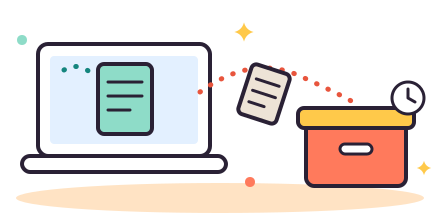
When a change from another device replaces or deletes a file on yours, the old version goes to the folder’s archive on your device. It keeps files 30 days unless you change that, and you’ll be able to turn it off.
- Each device keeps its own. A file you delete on your laptop waits in the archives of your other devices that had it, since to them it’s a change from elsewhere.
- Every device that can read the folder keeps one, phones included.
- It isn’t a backup against a lost disk: it sits on the same device, in the folder’s hidden
.licketysyncfolder unless you point it elsewhere, and it has a size limit.
The archive limits what’s lost, but it can’t stop someone with the write key from deleting on purpose. Risks says more.
The deletion brake
If a lot of files vanish from your own disk at once, say a drive comes unplugged, the folder pauses and sends no deletions to your other devices until you say you meant it. The same happens when the folder itself goes missing. Deletions that arrive from other devices aren’t braked: the archive is what keeps those.
When a deleted file comes back
Devices remember a deletion for a year or more after it arrives, and then forget it together. After that, a device that kept an old copy, such as one back from a long time away, can bring the file back, as the file or as a conflict copy beside a newer one. It’s a surprise, never a loss: delete it again. Deleted files can come back has the details.
Fewer surprises
- Let a device catch up before you edit on it, especially after time away.
- Give each computer its own file to write, rather than one they all add to.
- Use a set of files that must change together, such as a git repository or a database, on one device at a time (why).
- Keep the archive on.
For the curious. The protocol’s “The index in plain words” walks through conflicts, deletions and conflict copies with examples.