Still being built: there’s nothing to download yet
Your folders, in sync. Lickety-split.
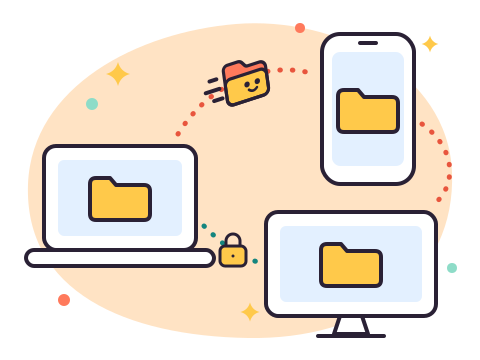
LicketySync keeps a folder the same on all your devices, and with the people you choose. Your devices sync with each other, so there’s no account to make, no cloud to trust and no server you didn’t turn on.
Why you’ll like it
Private by default
Your files and their names go only to devices that hold one of the folder’s keys, and every connection is encrypted. Nothing is on until you answer setup. It will suggest helpers such as public trackers and relays: computers you don’t know, which see your addresses but can’t open your files.
Easy to share
To share a folder, you’ll give someone a key, as a QR code, a link or a file. The kind of key decides what they can do.
Nothing to sign up for
There are no accounts, and no company holds your files. Your devices sync with each other, not through someone else’s cloud.
It’s got your back
When two people change the same file at once, both versions are kept: one as the file, one as a conflict copy beside it. When a change from another device replaces or deletes a file, the old one waits in an archive for 30 days (you’ll be able to change that).
Three keys, three kinds of access
Every folder has three keys. Whoever holds one can join the folder with that key’s access, on as many devices as they like.

Write key
Read and change everything. For your own devices, and for people you’d trust with every file in the folder.

Read key
See everything, change nothing. Other devices take changes only from the write key.

Sealed key
Keep a full copy without being able to open it: not the files, not even their names. A device with this key still sees how many files there are, roughly how big each one is, when they change and the names of the devices it syncs with. Handy for a home server, or a friend’s spare computer, that keeps a copy for you.
A key works for as long as the folder exists, and whoever has one can pass it on. So share keys the way you’d share a house key. There’s no taking a key back: to leave someone out from then on, everyone else moves to a new folder with new keys, and that person keeps the old folder and every file they already had.
Still being built
LicketySync is in development, and there’s nothing to download yet. Syncing between computers on one network, from the command line, is being built now; finding each other across the internet comes next, then apps for computers and phones, and a version that runs in your web browser. What’s ready and what’s next has the whole order.
LicketySync is open source, under the Mozilla Public License 2.0. The code and the design specifications are on GitHub.
Before you trust it with your files
Every sync tool makes trade-offs, and we’d rather you hear about ours from us. The Risks page explains what each key holder can see, what helpers on the internet such as relays learn and when a deleted file can come back. The manual, in reading order. Start at the top, or jump to what you need. Folders, keys and devices that sync with each other: how LicketySync works with no account and no server you didn’t turn on. What setup will suggest, and for each choice what it gives you, what it costs and what it shows, and to whom. Easy to share, with your files and their names private by default: the three kinds of key, sharing with people or more widely and moving to new keys when someone shouldn’t have one any more. Your local network, public trackers, relays and hole punching: how your devices find each other and connect, explained simply. Leave files out with an ignore file, and see what never syncs and what travels with each file. What happens when two people change the same file, or one deletes what another changed, and how the archive keeps what was replaced. A full disk, a file it can’t open, a limit your system sets: how LicketySync will tell you, keep going and help you fix it. What LicketySync will do, in plain words, and whether each part is being built now or comes later. Where LicketySync stands today and what comes in what order, in plain words. No dates, no betas. What stays private, what no peer-to-peer program can hide and what this website collects: nothing of its own. Where your risks are, how they would show up, how much they matter and what you can do. What LicketySync contacts, what it stores and where, its cryptography in brief and its licences: the details a review needs. Quick answers to the questions people ask most, each with a link to the details. The words this manual uses, in plain language.Where to next